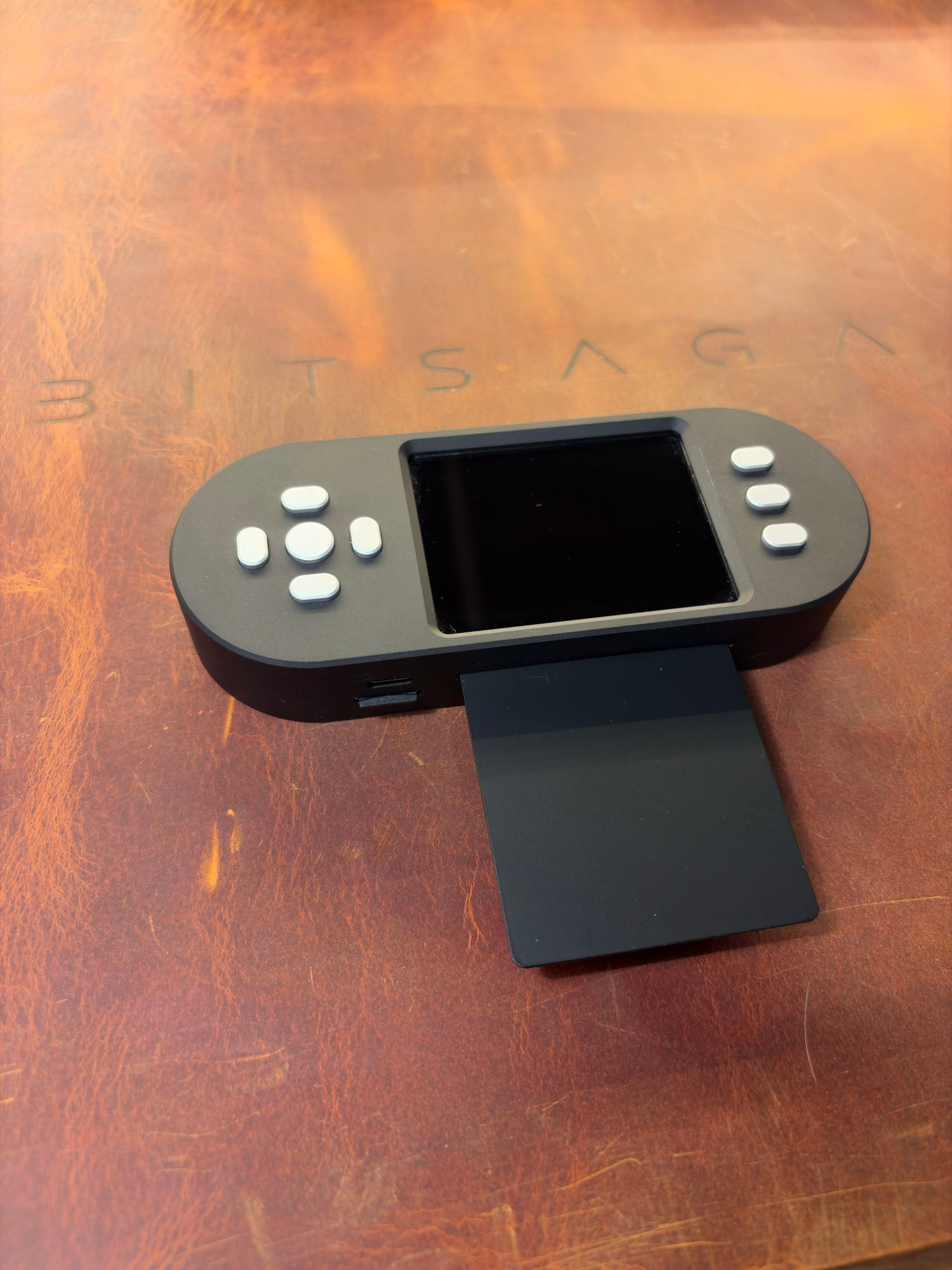
I am seeing much higher order volume than usual after the recent Coldcard bug. Some orders will be delayed. For SeedSigners, expect a lead time of about two weeks.

Air-gapped bitcoin signing · 5 models

The SeedSigner you can check, simulate, verify, practise and own

Anyone can sell you one of these. We can hand you the device in a browser tab first, check the firmware you flash without a terminal, and give you a Bitcoin network to rehearse a multisig on. Then you pick a model.

5 models · from €150.00 · VAT included · free to try first

bitsaga.be/seedsigner-simulator
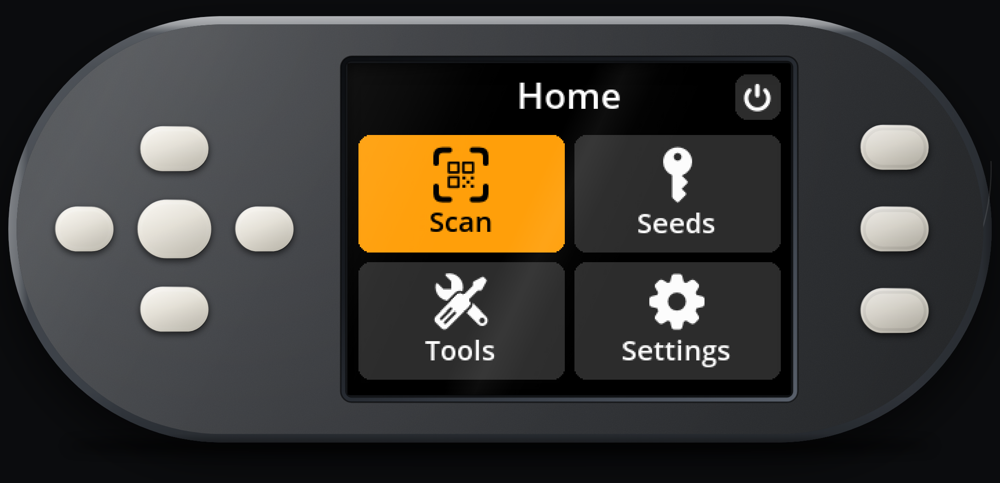
The SeedSigner simulator running the wallet's home screen in a browser tab
This is a browser tab. The real firmware, running under Pyodide, with your keyboard as the buttons and your webcam as the QR scanner.

Three things no other reseller can hand you

Every shop selling a SeedSigner says the same words about it. These are the parts you can go and check yourself, right now, before you spend anything.

01 The device, in a browser tab

Try one before anyone asks you for money

The real SeedSigner firmware runs in your browser. Not a video, not a re-creation of the menus: the actual Python from the device, running under Pyodide, driven by the wallet's own controller. Walk the menu tree, load a seed, add a passphrase, export an xpub, sign a transaction, back a seed up as a SeedQR.

It is pinned to a published upstream release tag, and the build is reproducible, so you can rebuild the wallet yourself and check that the file this site served you is byte for byte the one the pin describes. Half an hour with it will tell you more than any review.

What works in the tab

  • The full menu tree, exactly as on the device
  • Seed loading by QR or by hand, and passphrases
  • xpub export, PSBT loading and signing, SeedQR backup
  • Three simulated smartcards, with PINs that stick

What is not there

  • The microSD card, so settings reset on reload
  • Anything animated from a background thread
  • Timers, the screensaver, battery readings
  • Any real security. It is a tab, not a device

02 Firmware verification

Check what you flash, without opening a terminal

A SeedSigner is a Raspberry Pi with a screen. It has no secure boot and no opinion about what you put on the card, so the only thing standing between genuine firmware and tampered firmware is you, checking. The project's own instructions open by assuming you know your way around a terminal, and so most people quietly skip the step.

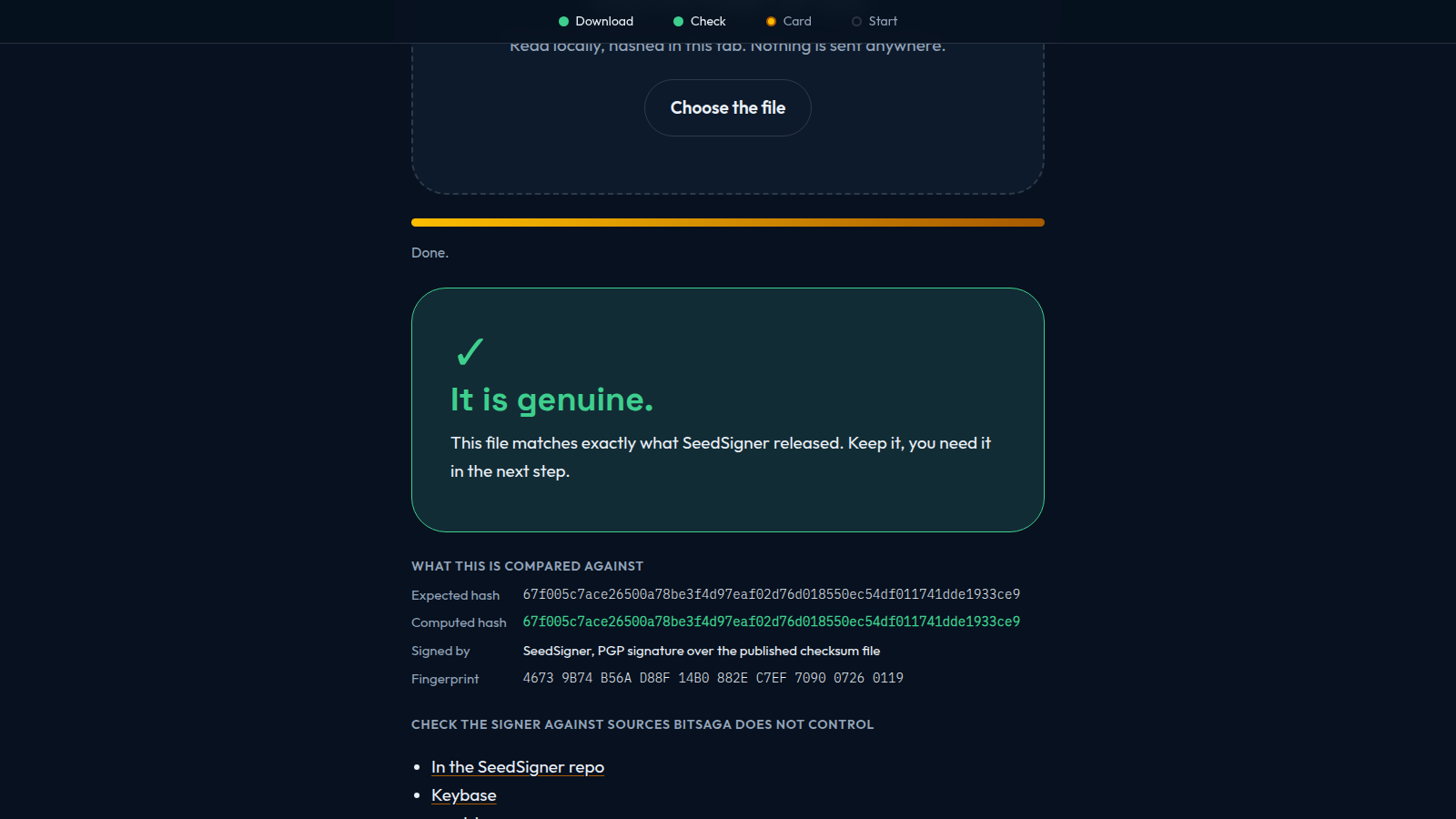
Drop the file onto verify.bitsaga.be instead. It computes the SHA-256 in your browser and compares it against the hash the project published. Nothing is uploaded, no cookies are set, and there is no tracking code on the page. We host no firmware at all: the download button sends you to SeedSigner's own GitHub.

It has three modes, and the difference between them is one question: who do you have to trust? Easy trusts us. Advanced trusts the SeedSigner project and shows you every value to compare. Cypherpunk trusts nobody, hands you the commands, and sells you nothing.

The verify.bitsaga.be page showing a matching hash and a green result after checking a SeedSigner firmware file

03 A chain to practise on

Rehearse a multisig with real confirmations

Behind the simulator sits Bitsaga Signet, a private Bitcoin network we run ourselves, with a block every thirty seconds and a faucet that always has coins. Public test networks make a poor rehearsal: slow blocks, empty faucets, and a chain that sometimes reorganises under you.

Everything else behaves like Bitcoin because the software is Bitcoin: the same node, the same addresses, the same part-signed transactions moving between a wallet and a signing device. A 2 of 3 multisig built from three simulated SeedKeeper cards, funded, signed by two of them and broadcast, confirmed in eight seconds.

The coins are not real bitcoin. They exist only on that network, cannot be sold or sent to anyone, and are worth nothing. That is the point of them.

Bitsaga Signet

Network
A custom signet, ours, always up
Block time
30 seconds
Faucet
Public, 0.01 test bitcoin per request
Addresses
testnet format, tb1...
Coin value
None, and there never will be
Open to wallets
No. The simulator reaches it from the inside

And here is what none of that buys you

A browser tab is not a hardware wallet. It has no secure element, no air gap, and it runs on a general-purpose machine next to every other tab and extension you have installed. Never type a seed phrase you rely on into the simulator, not even once, not even to check something. Use a public test seed. If you already have, treat that seed as compromised and move the funds.

Software cannot verify hardware. A perfectly checked image on a tampered board is still a tampered board, and verification says nothing about how your seed was generated. Reproducible builds push the trust boundary a very long way and they do not erase it. Anyone telling you their product achieves zero trust is selling something.

What all of it defends is one claim: that you can check we did not tamper with the firmware. Not that a browser tab is safe for your keys. We would rather say that here than have you find it out later.

The foundation of SeedSigner's security model relies on users taking on the responsibility to ensure they are running valid software.

The SeedSigner project, on its own security model

Now pick your model

All five are the same idea: an air-gapped, stateless signing device that holds nothing once you unplug it. What differs is the screen, the case, what comes in the box, and whether your seed arrives by QR code or off a smartcard. Prices and stock are read live from the catalogue.

Seedsigner plus without background
The easy first one

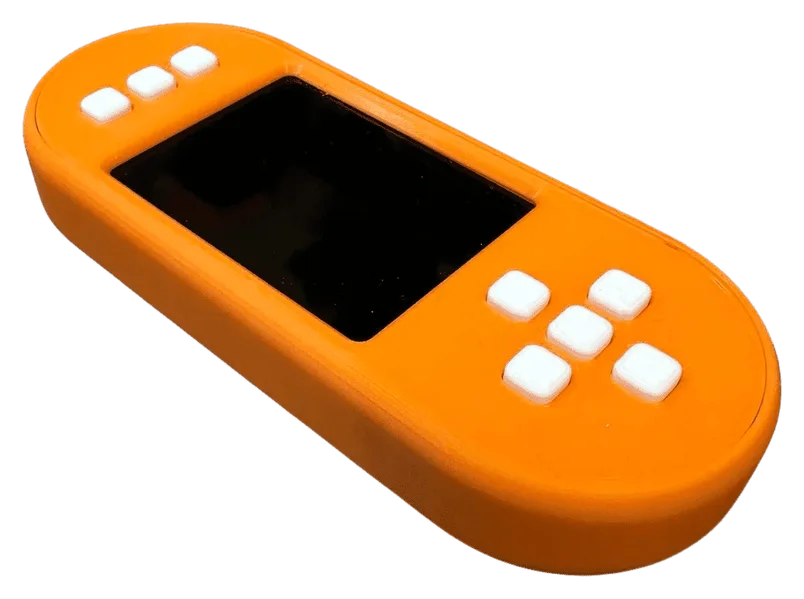
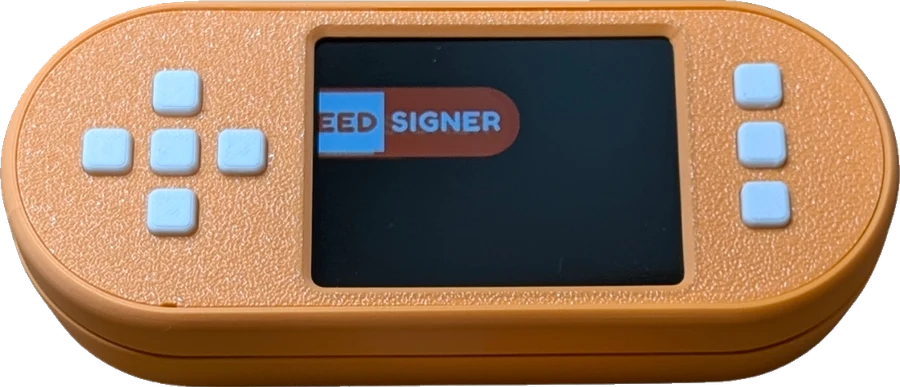
SeedSigner Plus

€150.00VAT included

Assembled and ready to use, and the biggest screen of the family for the least money.

  • 2.8 inch IPS 240x320 screen with DPAD controls
  • USB-C port that carries power only
  • No microSD card: you flash and verify the firmware yourself
  • 10 dollars per unit goes to the SeedSigner project maintainer
Read the full page →
Seedsigner standing transparent
The metal one, revised

Seedsigner premium v2

from€180.00VAT included

Same aluminium case, rebuilt: spring-loaded card slot, better camera, and an SD card that is already in it.

  • The v2 build: spring-loaded SD slot, optimised camera, tighter fit
  • microSD card included, so it runs out of the box
  • Bundle it with Seedfan steel backups, single sig or multisig
  • Add a Seedfan steel backup, or a titanium one, in the same order
Read the full page →
Pick your options

Add a steel backup, or take it on its own.

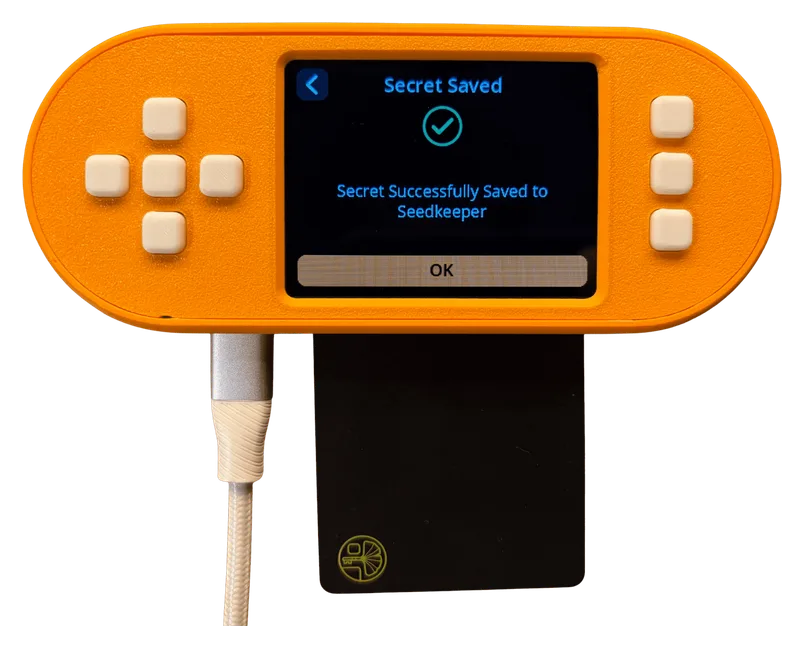
Seedsigner+ with smartcard showing saved screen
The daily driver

Seedsigner+ Smartcard

from€200.00VAT included

Your seed lives on a PIN-protected smartcard and loads from it, so you stop handling a SeedQR every time you sign.

  • Loads keys from a Satochip SeedKeeper card, protected by a PIN
  • Cards also hold multisig descriptors and other secrets
  • 2.8 inch IPS screen, DPAD controls, USB-C power only
  • Ships with a SeedKeeper card, an 8 GB microSD and a cable
Read the full page →

Enclosure colour, then how many SeedKeeper cards.

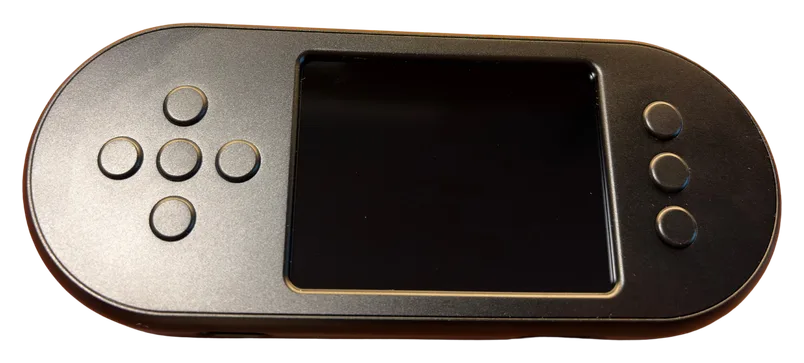
SeedSigner+ Premium in a black CNC milled aluminium case, seen from above
The same one, in metal

SeedSigner+ Premium

from€225.00VAT included

The SeedSigner Plus with its printed shell swapped for a machined aluminium case, so it survives being carried.

  • CNC machined aluminium enclosure, black or orange and silver
  • Same 2.8 inch IPS screen and DPAD controls as the Plus
  • Ships with a blank microSD card, a USB-C cable and SeedQR cards
  • The card is blank on purpose: you flash and verify the firmware yourself
Read the full page →

Enclosure colour, black or orange and silver.

Seedsigner Pro Bundle box opened without background
The complete kit

Seedsigner Pro bundle

from€300.00VAT included

Everything around the device as well: a Faraday box, a power bank, a cable and a demo seed to learn on.

  • Seedsigner Premium, black aluminium
  • Faraday box, power bank and braided micro USB cable
  • Demo seed to practise with before you use a real one
  • SD card, optionally pre-loaded with the latest firmware
Read the full page →

The SD card arrives blank, or with the firmware already on it.

Three things differ, and only one of them is the box

People compare these five as if they were five different wallets. They are not. Read them in three layers: the device you hold, the firmware on its microSD card, and the features that firmware gives you. Only the first layer differs on every model. The third is the same list on all of them.

ShieldSigner

CryptoGuide's smartcard fork of SeedSigner, MIT licensed

Best on Seedsigner+ Smartcard

Your seed loads off a PIN protected Satochip SeedKeeper card. Scanning a SeedQR still works, so you keep both routes.

Everything the stock firmware does, and a long list on top of it: the whole smartcard suite, SLIP39, encrypted QR codes, and more entropy checking. The table below is the full comparison.

Read the source

Layer one, the device

From the product data and from the units I build myself. Every one of the five is the same Raspberry Pi Zero 1.3 with no wifi and no bluetooth on it.

SeedSigner hardware specifications, model by model
 SeedSigner Plus Seedsigner premium v2 Seedsigner+ Smartcard SeedSigner+ Premium Seedsigner Pro bundle
Best firmware for itAny of the five boots either firmware, it is only a different microSD card. But only the smartcard model has the card reader, so on the other four the whole smartcard half of ShieldSigner has nothing to talk to.SeedSignerSeedSignerShieldSignerSeedSignerSeedSigner
Core boardVersion 1.3 is the Pi Zero with no wifi and no bluetooth on the board. The project specifies it for exactly that reason, and all five use it.Raspberry Pi Zero 1.3Raspberry Pi Zero 1.3Raspberry Pi Zero 1.3Raspberry Pi Zero 1.3Raspberry Pi Zero 1.3
Screen2.8 inch IPS, 240x320Waveshare 1.3 inch LCD hat2.8 inch IPS, 240x3202.8 inch IPS, 240x320Waveshare 1.3 inch LCD hat
ControlsDPAD style buttonsAluminium thumbstick and buttonsDPAD style buttonsDPAD style buttonsAluminium thumbstick and buttons
CameraZeroCamZeroCam, behind a glass coverZeroCamZeroCam miniZeroCam, behind a glass cover
EnclosureThe aluminium version of the smartcard build is not available yet.3D printed shellCNC milled aluminium3D printed shellCNC machined aluminiumCNC milled aluminium
ColourOne versionLeave a preference in the order notesBlack or orangeBlack, or orange and silverBlack only
Power portPower only means power only. Nothing but power goes down that cable, so there is no data path on it to take on trust.USB-C, power onlyMicro USBUSB-C, power onlyUSB-C, power onlyMicro USB, braided cable in the box
Spring loaded microSD slotYesYesYesYesYes
Smartcard readerNoNoYes, a smartcard hat and a Satochip SeedKeeper cardNoNo
Wifi or bluetoothNone, on any of themNone, on any of themNone, on any of themNone, on any of themNone, on any of them
BatteryNone, it runs off the cableNone, it runs off the cableNone, it runs off the cableNone, it runs off the cableNone, a power bank is in the box

Swipe the table sideways on a phone.

Layer two, the firmware

ShieldSigner does everything SeedSigner does. All of it. It is a fork, not an alternative, and nothing was taken out.

So the only useful table is the one below: what the fork adds on top. Both are MIT, both are free, and both run on any of the five. Taken from the two projects' own READMEs, not from me.

Where the ShieldSigner smartcard fork differs from SeedSigner
  SeedSignerthe project's own firmware ShieldSignerCryptoGuide's smartcard fork
Getting a seed onto it
Seed word lengths12 or 2412, 15, 18, 21 or 24
Load a seed off a Satochip SeedKeeper cardNoYes
Load a passphrase, or seed and passphrase together, off a cardNoYes
SLIP39 shares: create, import, extend and reconstructNoYes
BIP85 child seedsDerive themDerive and load them
Encrypted QR codes, Krux compatibleNoYes
Passphrase QR, plaintext QR export, and a TextQR toolNoYes
Split passphrase and encryption key across two QR codesNoYes
Signing and wallets
Save and load multisig descriptors on a cardNoYes
Verify a wallet xpub exportNoYes
Sign a transaction on the card itself, and verify a PSBT against itNoYes
Sign a messageNoYes
WIF and BIP38 key signingNoYes, and off by default
The cards themselves
Card readers it speaks toNoneSmartcard hat over UART, USB CCID and PCSC, PN532 over NFC, USB Phoenix
Initialise a card, change its PIN, label it, set its NFC policyNoYes
Factory reset a card, read its info, check it is genuineNoYes
Satochip two factorNoYes
Store any secret on a card, and read it back as text or a QR codeNoYes
Entropy and housekeeping
Shannon entropy checks on dice and camera inputNoYes
Hardware RNG mixed into camera entropy, with a quality readoutNoYes
Optional wipe timerNoYes, 30 minutes
GPG signature and SHA256 manifest checking on the deviceNoYes
microSD flashing and verification tools on the deviceNoYes
What you are trusting
Who publishes itThe SeedSigner projectCryptoGuide, as 3rdIteration
LicenceMITMIT
Maturity, in the project's own wordsStable releasesBeta: "mostly feature complete", with "bugs and tweaks to come"
Covered by verify.bitsaga.beYes, check a fileYes, check a file
Runs in the browser simulatorYes, run it nowYes, run it now

Only the differences are listed. A further 17 features are identical on both and are left out. 21 rows here the fork adds on its own. Swipe the table sideways on a phone.

What arrives, and what you choose

The parcel and the checkout, not the machine. The machine is the table above.

What arrives, and what you choose at checkout
 SeedSigner Plus €150.00Seedsigner premium v2 from €180.00Seedsigner+ Smartcard from €200.00 to €340.00SeedSigner+ Premium from €225.00Seedsigner Pro bundle from €300.00 to €325.00
microSD card includedNoYesYes, 8 GBYes, blankYes, blank or pre-loaded
Also in the boxUSB-C cable, 25x25 SeedQR cardsNothing else listedUSB-C cableUSB-C cable, 25x25 SeedQR cardsFaraday box, power bank, demo seed
Try this one in the simulatorPick the stock firmwarePick the stock firmwareThe default, smartcard firmwarePick the stock firmwarePick the stock firmware
Choices at checkoutNone, one versionAdd a steel backup, or take it on its ownColour, and 1 to 5 SeedKeeper cardsEnclosure colourBlank or pre-loaded SD card

Prices are live from the catalogue. Swipe the table sideways on a phone.

Neither firmware is mine

The full feature comparison is the second table above. This is who wrote them.

SeedSigner is open source under MIT, built by volunteers. ShieldSigner is CryptoGuide's fork of it, also MIT, and it is the one that speaks to the smartcards. I assemble and sell the hardware. I wrote neither firmware, and I am not the person to ask whether they are honest: read them yourself, or rebuild one and check the image I ship against your own build. Ten dollars from every assembled unit goes to the SeedSigner project's lead maintainer.

Questions

The ones we actually get asked, answered without the sales voice.

Is my seed stored on the device?

No. A SeedSigner is stateless: the seed sits in memory only while the device has power, and it is gone when you unplug it. There is no key material on the device for anyone to find later. The smartcard model changes where the seed comes from, not where it lives: it loads from a PIN-protected SeedKeeper card into the same temporary memory.

Which model should I buy?

If this is your first air-gapped device, the SeedSigner Plus: it is the cheapest, it has the largest screen, and everything you need is in the box. If you want metal, the premium v2. If you will sign often and do not want to handle a SeedQR every time, the smartcard model. If it is a gift or you want the whole setup in one parcel, the Pro bundle.

Which wallet software does it work with?

Any coordinator that speaks QR. Sparrow, Specter Desktop, Nunchuk, BlueWallet and Keeper are the usual ones. You keep watching your balance there. Only the signing happens on the device.

Can I really try it before buying?

Yes, and it costs nothing. The simulator runs the real firmware in a browser tab, so you can walk the menus, load a seed, add a passphrase, export an xpub and sign a transaction before anyone asks you for money. Use a public test seed, never one of your own.

Is the simulator the same as owning the device?

No, and it is not meant to be. A browser tab has no secure element and no air gap. It proves the flows and the firmware, not the security. Anything routed through the microSD card is missing, background animations do not run, and nothing persists when you reload. The full list is in the article about it.

Do I have to verify the firmware myself?

You should, and it is the one step most people skip because the official instructions assume a terminal. verify.bitsaga.be does the same check by dropping the file onto a page: it computes the SHA-256 in your browser and compares it against the hash the project published. The file never leaves your computer, and we host no firmware at all.

Can one device do multisig?

Yes, and it is the cheapest honest way to try it. Load your seeds one at a time, export each xpub to your coordinator, and sign each key on the same device. If you want to rehearse the whole thing first, the simulator plus our signet gives you a 2 of 3 that actually confirms.

What about VAT and shipping?

Every price on this page includes VAT. Shipping is calculated at checkout from your address, and you can pay by Bancontact, bank transfer, bitcoin or Lightning, card, PayPal, Google Pay or Apple Pay.
Try it first. Then decide.

It costs nothing to find out whether you like the device, and we would rather you knew before the parcel arrives than after.

The simulator and the verifier are independent projects, MIT licensed, not affiliated with or endorsed by the SeedSigner project. Product photographs and specifications come from our WooCommerce catalogue.

0 0 items View cart →